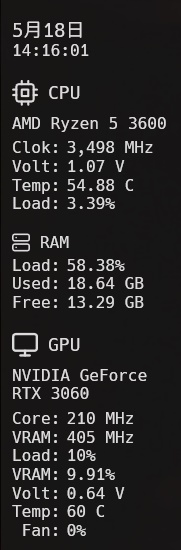
A simple sidebar for Windows desktop that displays hardware diagnostic information.
This is currently under development.
- Monitors CPU, RAM, GPU, network, and logical drives
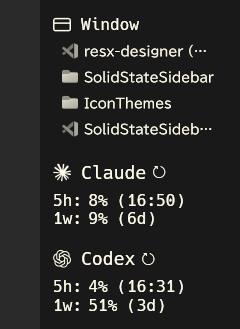
- Window monitor to list and select preferred application windows
- Claude and Codex usage monitor
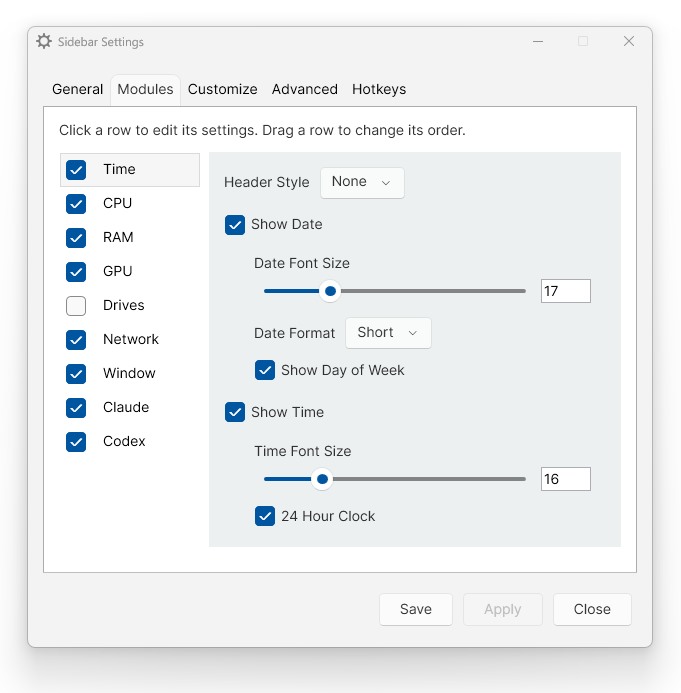
- Allows for lots of customization.
Download from the releases page.
Or Install via Scoop
scoop bucket add hetima https://github.com/hetima/scoop-bucket
scoop install hetima/SolidStateSidebar

#launch
SolidStateSidebar
This application does not include an installer. Simply extract and place it in any folder of your choice. The recommended location is:
C:\Users\YOURNAME\AppData\Local\Programs\SolidStateSidebar
The .NET 10 Desktop Runtime is required to run this application. If it is not installed, install it from here or run the following command:
winget install Microsoft.DotNet.DesktopRuntime.10
PawnIO is required to retrieve all hardware information. Install from official site or run the following command:
winget install namazso.PawnIO
You can create your own icon themes. Just place a set of SVG files in the C:\Users\<YOURNAME>\AppData\Local\SolidStateSidebar\IconThemes folder. Please refer to the Default folder there for the file names.
- Windows 10?/11
GNU General Public License v3.0
Written in C#, .NET10, WPF, built with Visual Studio 2026.
This software is based on SidebarDiagnostics
Data provided by Libre Hardware Monitor.